Sigma Input Tables: Closing the Budget & Sigma Write Back Gap Between Business and Analytics
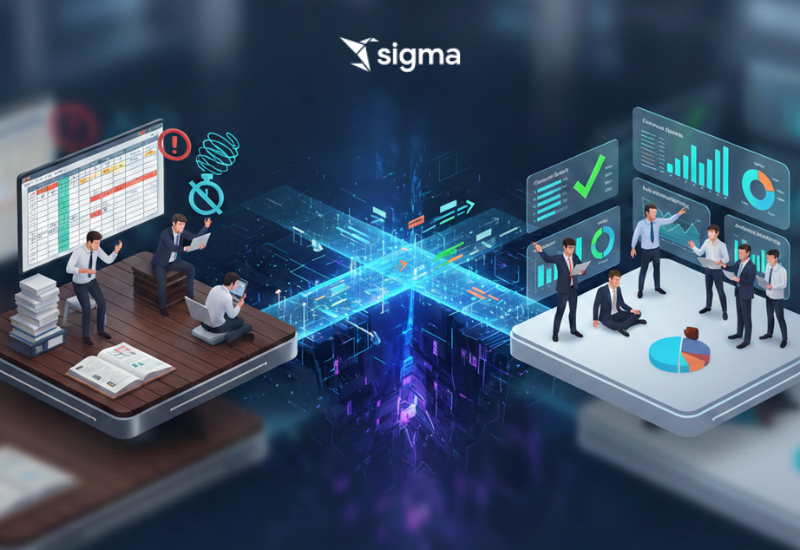
Finance teams require the ability to enter and maintain budget targets to enable budget-vs-actual analysis in BI dashboards and reports. However, current processes force business users into inefficient workarounds: maintaining budget data in disconnected Excel or Google Sheets that require manual exports and uploads, submitting requests to IT teams who manually load data via SQL scripts (creating delays of days or weeks), or relying on the few analysts with database access who risk data integrity issues. These approaches result in version control nightmares, inconsistent data across reports, delayed decision-making, and significant resource waste as finance teams spend hours on data reformatting while IT teams are diverted from strategic work to handle routine data entry requests.
The root cause is that business users who own budget data lack the technical skills and database access to update data warehouses directly, while traditional BI tools are designed exclusively for data consumption—not contribution. This creates a critical "last mile" gap where the people closest to the data cannot input it into the governed analytics ecosystem without technical intermediaries. Organizations need a solution that enables finance managers to enter budget targets directly within the BI environment, have changes immediately reflected across all dashboards, store data in the governed warehouse (not siloed spreadsheets), and maintain full auditability by transforming the analytics workflow from read-only consumption to bi-directional collaboration.
Solution: Sigma Input Tables and Sigma Write Back Capability
Overview
Sigma Computing addresses this challenge through its Input Tables and Sigma Write -Back features, which transform Sigma from a read-only BI platform into a bi-directional analytics environment. This capability enables finance teams to enter, edit, and persist budget targets directly within Sigma dashboards—without leaving the BI interface or requiring any technical assistance—while automatically storing data in the governed data warehouse for immediate reuse across all reports.
How It Works:
The Setup:
1.Enabling Sigma Write Back
What This Means for Business Users: This one-time setup by IT creates the foundation that allows finance teams to save their budget data directly into the company's central database which is the same secure location where all sales, expense, and operational data lives. Once configured, business users never think about this infrastructure; they simply work in Sigma knowing their data is properly stored and governed.
2.Creating Budget Tables: We are using a Linked Input Table for this process.
Implementation:
- Creates an in-memory data structure within the Sigma workbook
- Schema dynamically defined by user-created columns
- Data types automatically inferred (string, number, date, boolean) or explicitly set
- Supports standard table operations: add/delete rows, edit cells, column transformations
Business User Experience: Think of this as opening a blank Excel spreadsheet inside your dashboard. Perfect for creating this year's budget from scratch

3.Enable Sigma Write Back to Warehouse
What Happens:
- Sigma generates a view in the specified warehouse schema path
- The view contains all user-entered budget data
- Publish the Input Table (before or after creating the view) to ensure the warehouse is updated with the latest changes

4. Integrate with Dashboards
Reuse Across Reports:
- The created warehouse view can be referenced like any other warehouse table
- Build dashboard visualizations that join actual spending data with budget targets
- Create budget-vs-actual variance calculations and trend analyses
Real-Time Updates:
- Any changes made to the Input Table in Sigma are immediately written back to the warehouse view
- All dashboards consuming this view automatically refresh with updated budget targets
- No manual exports, imports, or IT intervention required

Key Benefits
For Finance Teams:
- Self-Service: Enter and update budgets without SQL knowledge or IT tickets
- Real-Time Visibility: Changes instantly appear across all dashboards
- Single Source of Truth: No more version control issues or conflicting spreadsheets
- Collaboration: Multiple team members can contribute to shared budget tables with proper access controls
For IT/Analytics Teams:
- Reduced Workload: No manual data loading requests or urgent ad-hoc updates
- Governed Storage: All user inputs stored in the warehouse, not scattered across file systems
- Reusability: One write-back view serves multiple reports and use cases
- Audit Trail: Track who entered or modified data and when (through Sigma's activity logs and warehouse metadata)
For the Organization:
- Faster Decision-Making: Executives see current budget performance without waiting for data refreshes
- Improved Accuracy: Direct entry eliminates transcription errors from manual transfers
- Cost Efficiency: Finance teams focus on analysis, not data wrangling
- Scalability: Approach extends beyond budgets to forecasts, targets, comments, approvals, and mapping tables
Data Governance Considerations
Security & Access Control:
- Sigma's existing permission model controls who can view, edit, or create Input Tables
- Warehouse-level permissions govern access to Sigma Write Back schemas and views
- Row-level security can restrict budget visibility by department or region
Data Quality:
- Define column data types and constraints within Input Tables
- Implement validation rules for required fields and acceptable value ranges
- Use Linked Input Tables to enforce referential integrity with existing warehouse dimensions
Auditability:
- Sigma tracks user activity for all Input Table modifications
- Warehouse query logs capture all write operations
- Version history can be maintained through warehouse snapshots or slowly changing dimensions
Conclusion
Sigma's Input Tables and Sigma Write Back capability eliminates the "last mile" problem in budget management by enabling finance teams to contribute data directly within the BI environment where they already consume insights. This bi-directional approach transforms analytics from a passive reporting function into an active planning and collaboration platform by reducing technical dependencies, improving data quality, and accelerating decision-making cycles. Budget targets move from scattered spreadsheets into the governed data warehouse, becoming immediately accessible and reusable across the entire organization's analytics ecosystem.
Contact us at: [email protected]
For consultations or custom inquiries: https://dataplatr.com/contact-us
Linkedin